
Features:
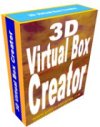
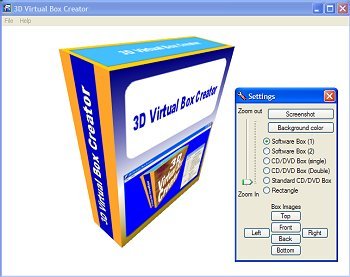
Realtime 3D Box shot generator.
Tip:
If you test 3D Virtual Box Creator and the box does not look smooth, then simply change the antialias settings (Direct3D) of your videocard.
The license is flexible:
You are allowed to run 3D virtual box creator on as many computers as you wish, as long as you own the computers and you are the one using the software.
Important:
You must have installed DirectX version 9.0c (no other, but exactly this version)
You can download it here for free at the Microsoft website.
VISTA users must install this DirectX version from the Microsoft website.
How to check your DirectX version?
Select RUN, type dxdiag and click OK.
Minimum systems requirements..:
DirectX Version 9.0c (click here to download)
Windows 98 / 2000 / ME / XP (Home/Pro) / Vista
300 MHz Pentium II Processor
3D capable graphic card (recommended)
By pressing the left mouse button and moving the mouse you can rotate the box on it's X and Y axis.
By pressing the right mouse button and moving the mouse you can rotate the box on it's Z axis.
The box can also be controlled by the cursor keys.
Loading the Box Images
3D Virtual Box Creator is able to import JPG and BMP files.
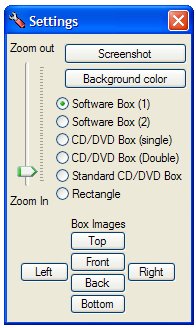
Click the respective load buttons (Front, Back, Top, Bottom, Left or Right) to import an image/texture. The image can have any size.
Box type
3D Virtual Box Creator is able to create six different box types.
Selecting a radio button will result in switching the box to your chosen size.Change Background color
Click the button: Background color to change the (you guessed it) background color.Saving the Box
Click the button: Screenshot. A Save Dialog window wil show up.
Export to BMP or JPG.Zoom In and Out
By means of the trackbar you can zoom In and Out.