

_
Welcome
at Wingway Systems!
Hex code and build instructions soon available
Update: 9-12-2025
This setup compensates for Pitch and Yaw axis.
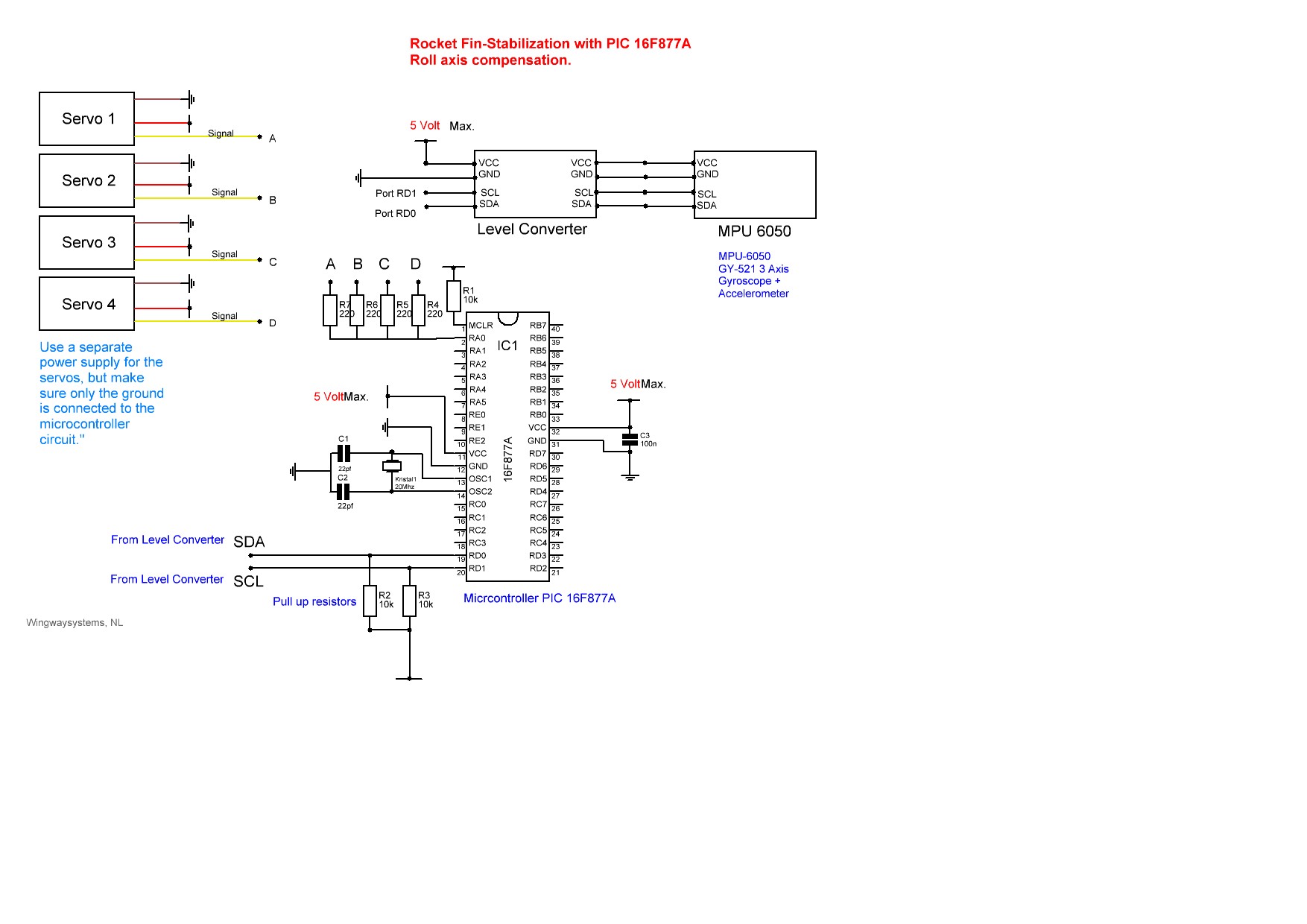
Roll axis compensation is ready---> Scroll down.
In the making; missile guidence with help of a gps module such as the
GPS NEO-6M NEO6MV2, this is a stable sensor.
Have a nice day!
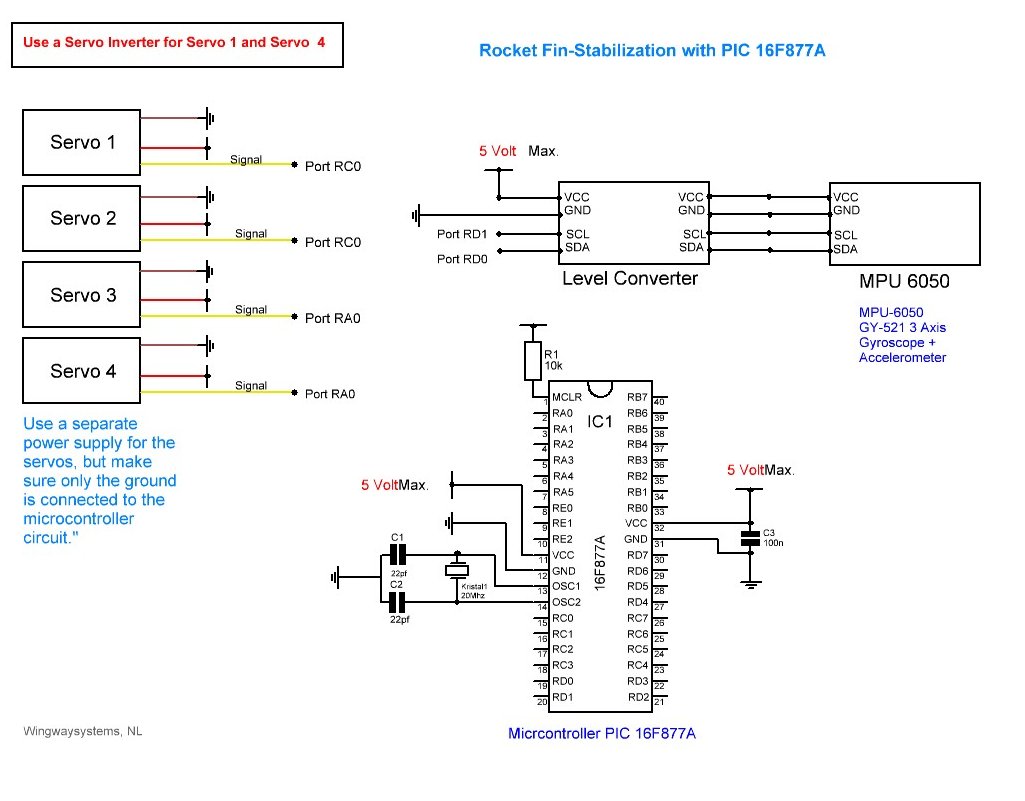
This is a video of a quick and simple
setup to try and demonstrate the concept of rocket fin stabilization.
Everything can, of course, be adjusted entirely to your own preferences."
Below the Roll
axis compensation. Slightly different hardware as
you can see, and ofcourse different software, soon available.
|
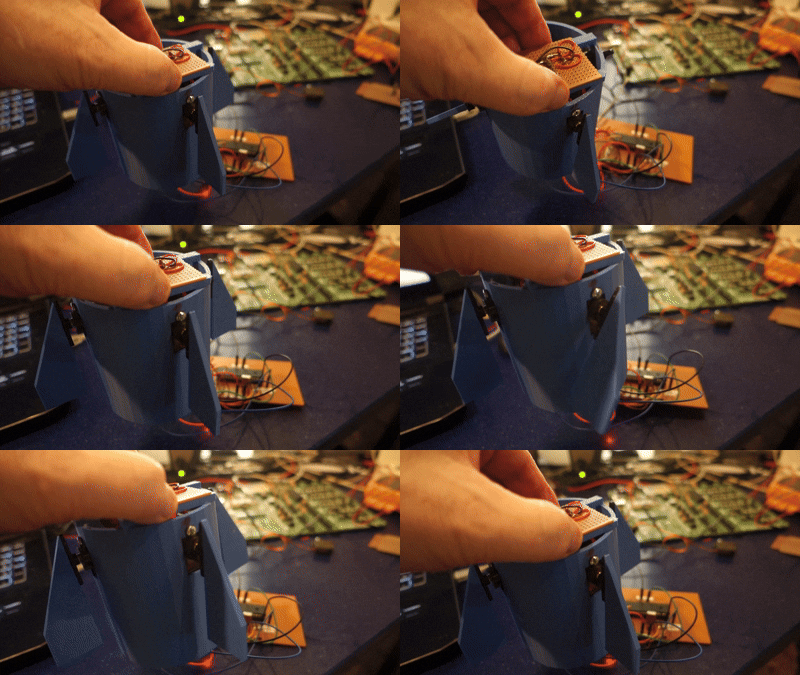
Again,
this is a video of a quick and simple setup to try and demonstrate the
concept of rocket fin stabilization (Roll
axis compensation).
Everything can, of course, be adjusted entirely to your own preferences."
Place the MPU6050 sensor at the center of the missile's body, specifically
along the roll axis.
As you can see, I am moving the MPU6050 about with my hand (not really
a good presentation, but you get the grip)

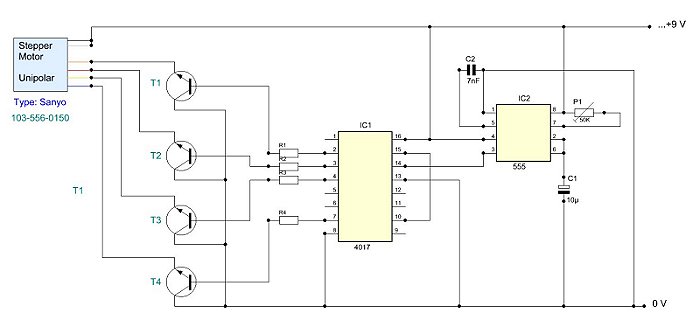
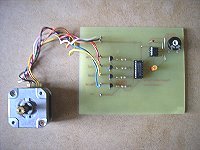
If you are using stepper motors as actuators instead of servo's, then
with this tool you can test your stepper motors if you like.
It’s a simple setup. The 4017 IC is a digital counter with a decoder
circuit. A 555 IC is ideal for generating the pulses for the 4017.
Use P1 for the speed.

Features:
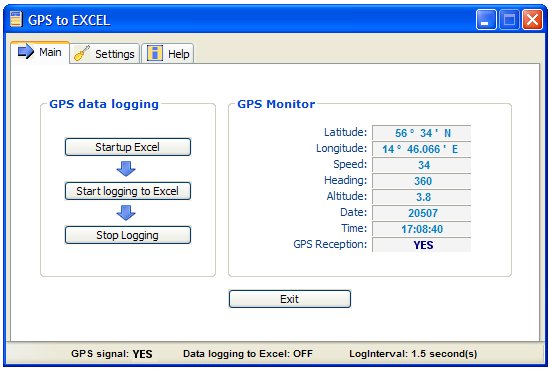
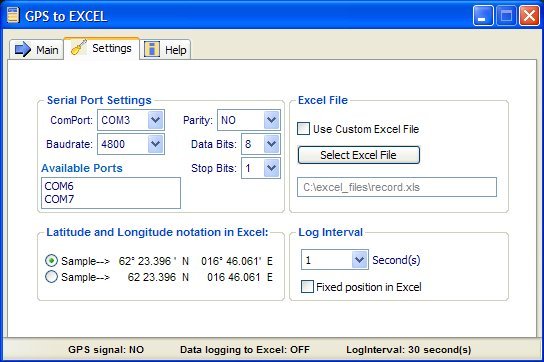
Input Realtime GPS data directly into Excel.
The license is flexible:
You are allowed to run GPStoEXCEL on as many computers as you wish, as long as you own the computers and you are the one using the software.
|
Minimum systems requirements: |
Windows 98 / 2000 / ME / XP (Home/Pro) /
Vista / Windows 7 and up
Your computer must have a serial
port.
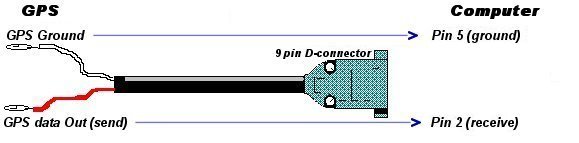
GPS receiver with serial port.
Excel and VBA installed. |
|
|
 |
|
|
|
|
|
 |